Korea eSIM Activation Guide for iPhone Users
"Based on official technical support logs from Apple, your device must maintain a completely unlocked carrier status to accept foreign cellular tracking data profiles. Ensuring your iOS system is updated to the latest stable operational version prevents software installation errors during the profile initialization phase."
Hardware Compatibility and iOS System Prerequisites
Initializing a digital data profile on an Apple device requires checking your hardware profiles before attempting any installation steps. The eSIM framework is available on iPhone XS, iPhone XR, and all subsequent newer iterations. Ensuring your iOS system is updated to the latest stable operational version prevents software installation errors during the profile initialization phase.
Based on official technical support logs from Apple, your device must maintain a completely unlocked carrier status to accept foreign cellular tracking data profiles.
Step-by-Step Profile Installation Framework for iOS
To guarantee a smooth setup, the initialization procedure should be performed prior to departure while connected to a stable home Wi-Fi network, or immediately upon arrival utilizing public terminal internet hubs.
Step 1: Locating the Cellular Management Menu
Navigate directly to your device's core system architecture by opening the Settings app, selecting the Cellular menu block, and tapping the prominent Add eSIM input link.
Step 2: Processing the Digital QR Code Blueprint
Select the Use QR Code option from the terminal menu layout. Align your device's primary camera array over the digital QR matrix pattern received in your reservation confirmation email, holding the position until the automated network installer registers the data profile.
Step 3: Initializing and Naming the Cellular Line
Once the profile is detected, tap the continue buttons to begin the internal download. The system software will prompt you to organize your network labels. It is practical to name the new profile line as "Secondary" or "Korea Data" to separate it from your home subscription base.
Arrival Verification and Cellular Line Configuration
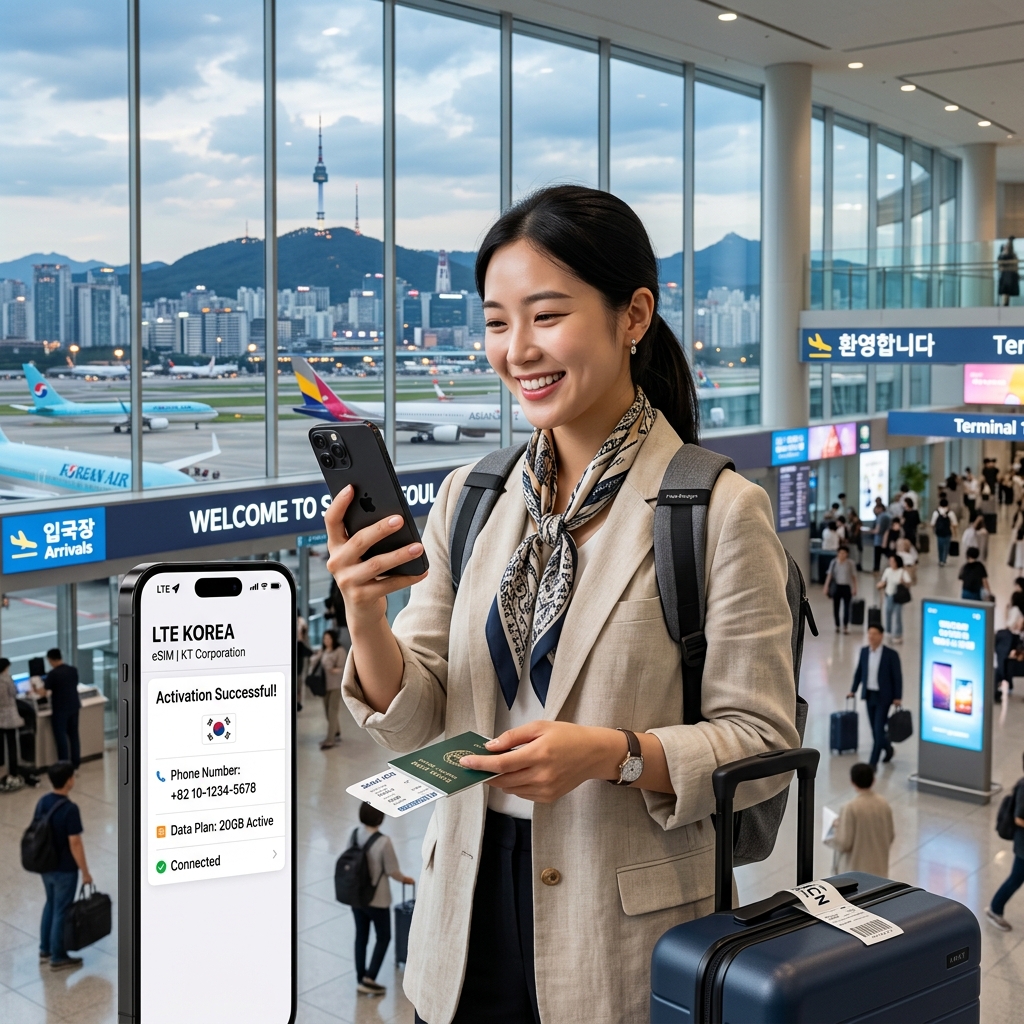
Upon passing through the immigration gates and entering the local airport arrivals terminal, you must manually adjust your network priorities to route data traffic through the local infrastructure.
Configuring Your Active Cellular Data Rail
Return to the Settings > Cellular menu hub. Tap the Cellular Data selection at the top of the interface and transition the active checkmark from your Primary home carrier over to your newly installed Korean data profile line.
Protecting Your Primary Line Against Unexpected Roaming Charges
To block unexpected roaming fee penalties from your home carrier, ensure you turn off the toggle labeled "Allow Cellular Data Switching". This system setting locks all internet traffic explicitly to the local Korean profile while preserving your primary line solely for text reception.
Troubleshooting Network Failures and APN Alignment
Managing the "Activating" Loop and Simple Device Restarts
If the interface displays a continuous processing loop or fails to connect to the cellular tower within two minutes of arrival, toggle your device's Airplane Mode asset on for ten seconds and turn it off. If the network remains offline, executing a full hardware power restart fixes common caching blockages.
Verifying the Data Roaming Activation Rule
Many specialized travel data profiles route connectivity through international partner nodes, meaning your device must recognize the line as an active roaming asset. Navigate to Settings > Cellular, select your Korea data line, and verify that the Data Roaming toggle switch is flipped to the on position.
Forced Contextual Internal Link Hub
After completing your digital profile setup on your smartphone, analyzing whether a digital profile or a physical card configuration best optimizes your overall daily travel costs across your entire group is a smart step. Review our comprehensive field performance analysis: Best SIM Card vs eSIM for Korea Travel (2026 Tested) to isolate the exact data network tool that minimizes your communication budget completely.
Frequently Asked Questions (FAQ)
Q1: What should I do if my iPhone screen displays "Unable to Activate eSIM"?
This alert routinely occurs if you attempt to turn on the local line before physically reaching the geographical range of the local telecommunications towers. The error will resolve automatically once your aircraft lands and enters local service borders.
Q2: Can I scan the same eSIM QR code profile across multiple iPhones?
No. Local telecommunications data tracking profiles are configured as single-use software tokens. Once an eSIM profile configuration is downloaded onto a specific hardware mainboard, that specific QR code token is permanently locked and cannot be reused.
Q3: How do I keep using iMessage with my original phone number?
Navigate to Settings > Messages > Send & Receive. Ensure your primary home country phone number asset remains checked as the default outgoing line. This layout keeps your Apple chat threads active while routing all web search traffic through the local data line.
Q4: Should I delete my travel eSIM profile immediately if the network drops?
No. Under no circumstances should you delete the profile template during a connection drop. Deleting the profile permanently erases the cellular license code from your device. Network updates must be handled via simple device restarts or manual APN adjustments.
Q5: Does the iPhone eSIM setup require a local identity registration?
Standard data-only travel eSIM options do not require a formal identity check or passport submission during the digital setup phase, providing a streamlined deployment path compared to physical postpaid registration lines which often cost upwards of 30,000 KRW (approx. $22.38).
Verified eSIM Profiles and Transit Hotels:
Instant mobile eSIM activation without waiting at airport counters can be managed directly in the verified database below. Get lowest-rate transit accommodations and official eSIM data package booking options via the comment section below.
Check live eSIM packages and discount hotel vouchers in the Comment Section below (Official Partner Integration)
🌐 iPhone eSIM Activation & Deals
ReplyDelete☑️ [Discount Voucher] Pre-book your iPhone travel eSIM (Klook)
☑️ [Lowest Rates] Browse transit-friendly hotels (Agoda)